
What’s new in XLSReadWriteII 7
Faster, more capable and with full FireMonkey support. XLSReadWriteII 7 works with Delphi XE and later.
Performance
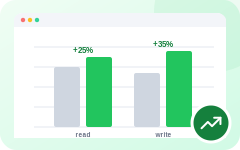
The already excellent performance has become even better. When reading and writing XLSX files:
Reading 25% faster, writing 35% faster

New Sheet Viewer component
The new XLSSheetView component lets you view spreadsheets with the same look and feel as Excel. It supports all cell formatting, conditional formatting and images.
XLSSheetView is written from scratch and works like its bigger sibling XLSSpreadSheet, except that the user can’t edit the spreadsheet. It replaces the old TXLSGrid component, which was based on TDrawGrid and is now retired. You can also paint cells to any canvas with the TXLSCellPainter object. Works with VCL and FireMonkey.
CSS formatting
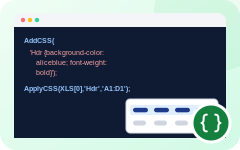
Use CSS to format cells, with support for all formatting options.
// Add CSS
XLS.CmdFormat.AddCSS('TestFill {background-color: aliceblue}');
XLS.CmdFormat.AddCSS('TestBorder {border: medium solid red}');
XLS.CmdFormat.AddCSS('TestFont1 {color: blue; font-size: 16; font-weight: bold; font-family: Courier New}');
// Apply selectors
XLS.CmdFormat.ApplyCSS(XSV.XLS[0],'TestFill, TestBorder, TestFont1','C3:C4');
// CSS can also be applied inline
XLS.CmdFormat.ApplyCSSInline(XSV.XLS[0],'color: blue; font-size: 16; font-weight: bold; font-family: Courier New','C3:C4');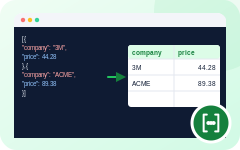
JSON import
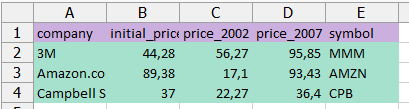
Smart JSON import that arranges JSON arrays in rows.
[
  { "company": "3M",
    "initial_price": 44.28,
    "price_2002": 56.27,
    "price_2007": 95.85,
    "symbol": "MMM" },
  { "company": "Amazon.com",
    "initial_price": 89.38,
    "price_2002": 17.01,
    "price_2007": 93.43,
    "symbol": "AMZN" },
  { "company": "Campbell Soup",
    "initial_price": 37.0,
    "price_2002": 22.27,
    "price_2007": 36.4,
    "symbol": "CPB" }
]
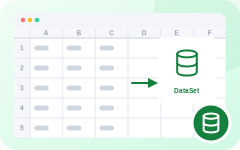
Database export
A new database export component that exports spreadsheets, or parts of them, to a database (TClientDataSet).

Improved pivot tables
- Calculated fields:
Pivot.AddCalculatedField(Name, Formula); - Group by:
Pivot.AddGroupBy(xpgbQuarters, FieldNo); - Top 10.
- An easier interface.

Support for Skia
Useful on FireMonkey, which lacks methods to get text metrics.

Better FireMonkey support
All components now work with FireMonkey.
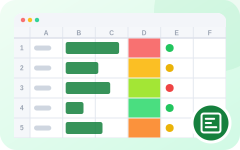
Conditional formats with data bars
Data bars in conditional formats are now supported.
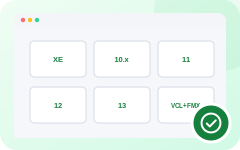
Delphi XE and later
XLSReadWriteII 7 works with Delphi XE and later.